Sales teams are expected to sell. But behind every sales team is a layer of processes, systems, data, reporting, forecasting, and coordination that determines how easily the team can actually do its work.
That layer is commonly called Sales Operations(SalesOps) or Sales Ops.
SalesOps is the function responsible for making the sales organization easier to operate. It helps define how sales processes work, keeps the systems supporting those processes organized, manages sales data, and gives leaders the information they need to understand pipeline and performance.
This becomes increasingly important as a company grows.
A sales process that works when five people are selling can become difficult to manage when there are 50. More representatives, more accounts, more products, more territories, and more sales tools create more opportunities for processes to become inconsistent.
SalesOps exists to bring structure to that complexity.
What Does Sales Operations Do? 7 Core Responsibilities
SalesOps is not one activity. It is a continuous operating cycle that covers how sales processes are designed, supported, measured, and improved.
1. Sales Process Design
SalesOps helps define how opportunities should move through the sales process.
This includes things such as qualification criteria, pipeline stages, approval processes, ownership rules, and handoffs.
For example, a company may define that an opportunity should only move from discovery to proposal after a specific set of information has been captured.
The challenge is keeping the process simple enough for salespeople to actually follow while maintaining enough structure for management to understand what is happening.
Technology can help enforce required steps and automate routine tasks.
2. CRM and System Setup
The CRM becomes the central system for managing customer and opportunity information.
SalesOps is often responsible for defining fields, workflows, permissions, integrations, and reporting structures.
A growing company might have its CRM connected to email, sales engagement software, enrichment tools, meeting scheduling, and customer systems.
The problem is that every new connection adds another dependency.
If the underlying structure is inconsistent, adding more tools can create more complexity instead of reducing it.
3. Lead and Opportunity Management
SalesOps helps establish how leads enter the sales process and how they become opportunities.
This can include lead routing, assignment rules, qualification criteria, account ownership, and follow-up processes.
For example, a high-value inbound lead may need to be routed differently from a smaller inbound request.
Automation can reduce manual assignment and make sure leads do not sit unattended.
4. Pipeline Management
SalesOps helps sales leaders understand what is happening inside the pipeline.
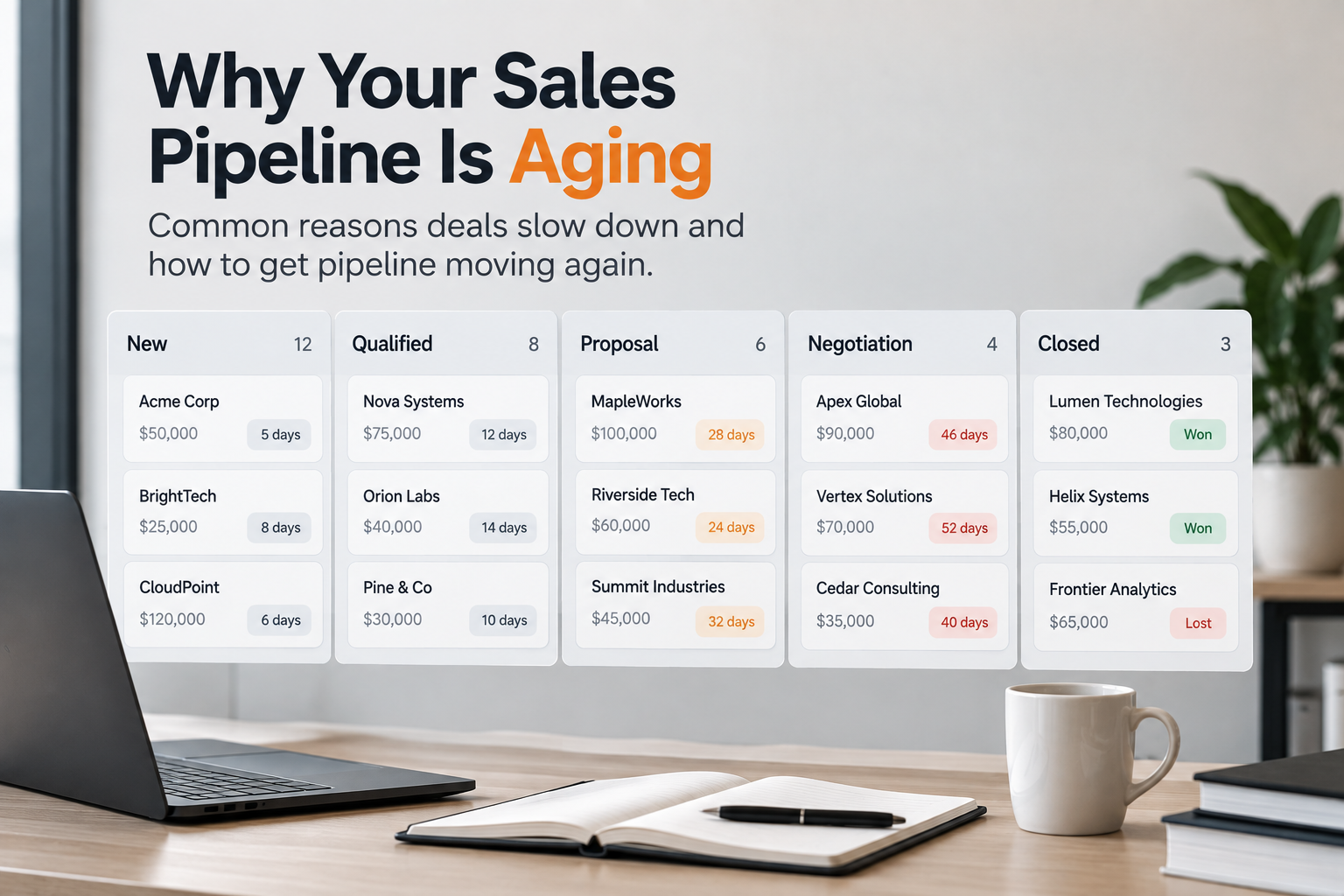
This includes pipeline stages, opportunity aging, movement between stages, conversion rates, and pipeline coverage.
A sales dashboard might show that the pipeline has grown by 20%.
But that number alone does not explain whether the pipeline is healthy.
The additional context might show that most of the growth came from early-stage opportunities while later-stage opportunities have slowed down.
SalesOps creates the structure that makes those measurements possible.
5. Forecasting and Planning
Sales teams need to estimate what revenue is likely to close and plan resources accordingly.
SalesOps supports forecasting by defining forecasting processes, maintaining data quality, and building reporting that helps sales leaders evaluate the pipeline.
Forecasting becomes more difficult when opportunity stages mean different things to different representatives or when important information is missing from the CRM.
Consistent processes and reliable data are therefore important parts of forecasting.
6. Performance Monitoring
SalesOps tracks operational and sales performance.
This can include metrics such as:
Pipeline creation — How much new pipeline the team generates.
Conversion rates — The percentage of opportunities that move to the next stage.
Sales cycle length — How long it takes to close a deal.
Win rates — The percentage of opportunities that become won deals.
Opportunity aging — How long opportunities remain open at each stage.
Activity levels — The volume of sales activities such as calls, emails, and meetings.
Forecast accuracy — How closely the forecast matches actual sales results.
The goal is not simply to produce reports.
The goal is to give sales leaders a reliable view of how the sales process is operating.
7. Process Optimization and Governance
Sales processes change as the company grows.
New products are introduced. Territories change. Pricing changes. New sales channels appear. New tools are added.
SalesOps reviews whether the existing process still works under those conditions.
This makes SalesOps a continuous improvement function rather than a one-time CRM implementation project.
Why Sales Ops Matters for Mid-Market Organizations
SalesOps becomes particularly important when sales complexity starts increasing faster than informal coordination can handle.
At an early stage, a founder may know almost every important opportunity personally.
As the company grows, that context becomes distributed.
One salesperson knows why an opportunity is delayed. Another knows that a pricing change affected the deal. A sales manager knows that a particular segment has been converting differently. The CRM contains another part of the story.
The systems may all be working correctly while the overall process becomes harder to understand.
This creates several problems.
Sales representatives spend more time updating systems and working around processes.
Managers spend more time checking CRM records and reconciling reports.
Leadership spends more time trying to understand why pipeline or conversion has changed.
For a mid-market organization, SalesOps provides the structure needed to make sales repeatable as the organization becomes more complex.
It creates clearer ownership, more consistent processes, and better visibility into sales operations.
Common Sales Ops Challenges
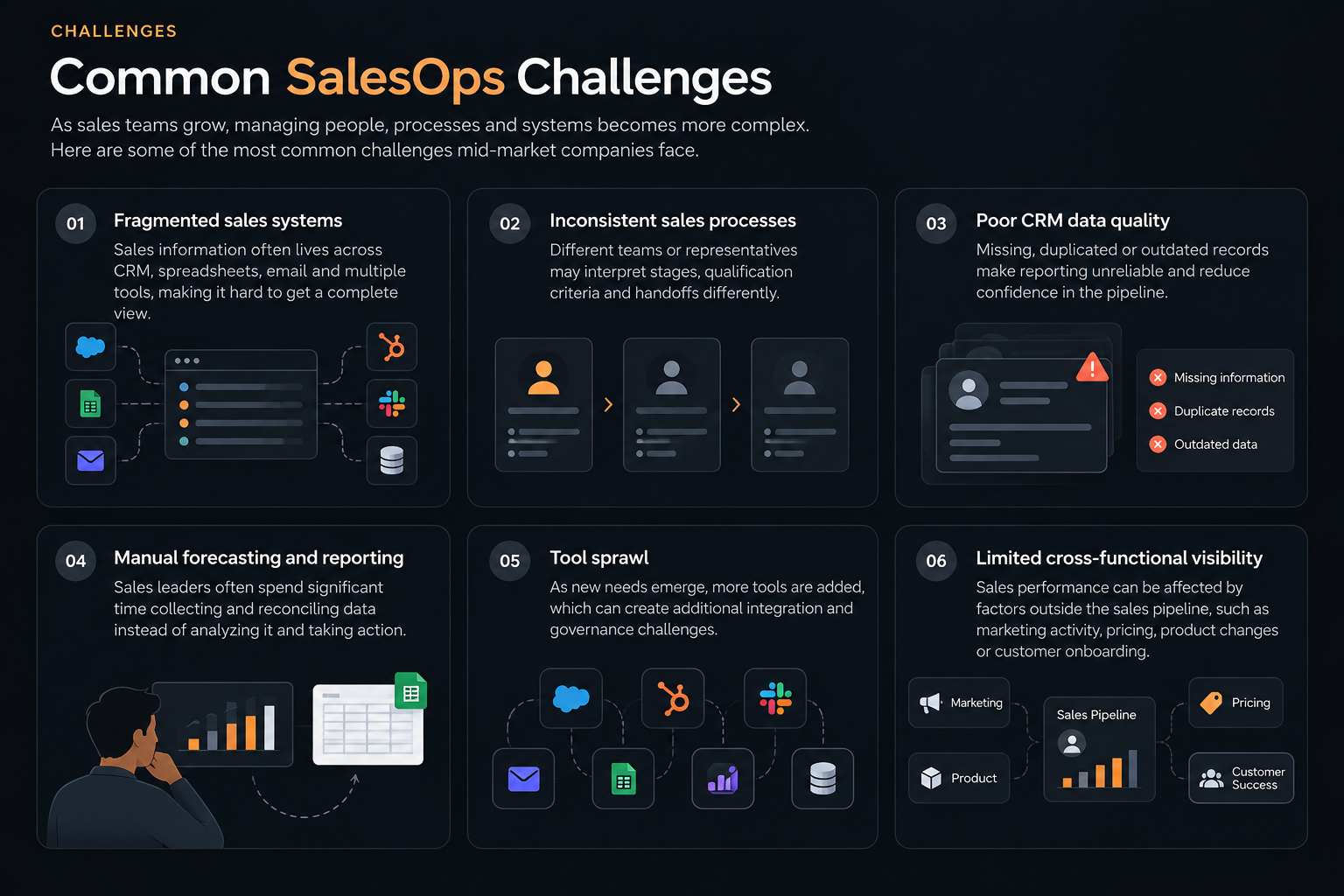
Fragmented sales systems
Sales teams often use several systems alongside the CRM.
Important information can therefore be distributed across multiple places.
Inconsistent sales processes
Different representatives may handle similar opportunities differently.
That makes performance harder to compare and forecasting harder to trust.
Poor CRM data quality
Missing, outdated, or inconsistent records reduce the usefulness of reporting.
Manual forecasting and reporting
Sales leaders can end up spending significant time preparing reports instead of reviewing them.
Tool sprawl
Adding software does not automatically simplify sales operations. More systems can create more integration and governance requirements.
Limited cross-functional visibility
Sales performance is affected by factors outside the sales pipeline itself.
Marketing activity, pricing, product changes, customer onboarding, and operational capacity can all affect what happens inside sales.
A CRM report alone may not contain that context.
Sales Ops Best Practices
Effective SalesOps usually depends on a few fundamentals.
Define process ownership clearly.
Someone should be responsible for how each important sales process works.
Standardize important pipeline stages.
Teams need a shared understanding of what each stage means.
Treat CRM data as an operating asset.
Data quality should be maintained continuously rather than fixed only when reporting breaks.
Automate repetitive work.
Routine updates, assignments, notifications, and reporting can often be automated.
Connect systems carefully.
Integrations should reduce duplicated work rather than simply increase the number of connected tools.
Build forecasting discipline.
Forecasting works better when opportunity definitions and sales processes are consistent.
Review the process regularly.
A sales process designed for one stage of company growth may not work at the next.
Sales Operations Tools and Software
SalesOps usually operates across several categories of software.
| Capability | What it does | Examples of software |
|---|---|---|
| CRM | Stores accounts, contacts, opportunities, and sales activity | HubSpot, Salesforce, Microsoft Dynamics 365 |
| Sales engagement | Supports outbound sequences and follow-up | Outreach, Salesloft, Apollo |
| Forecasting | Helps teams plan and evaluate expected revenue | Clari, Gong, Salesforce |
| Analytics | Provides visibility into sales performance | HubSpot, Salesforce, Power BI |
| Data enrichment | Improves customer and account information | Apollo, ZoomInfo, Clearbit |
| Workflow automation | Reduces repetitive operational work | Zapier, HubSpot, Workato |
| Reporting | Gives managers visibility into pipeline and performance | Power BI, Tableau, Looker |
The important consideration is not simply how many tools a sales organization has.
It is whether those tools work together around a clearly defined sales process.
How AI Is Transforming SalesOps in 2026
AI is increasingly being used to reduce repetitive SalesOps work and help teams process larger amounts of sales information.
Some practical applications include:
CRM assistance: AI can help summarize records and reduce manual data entry.
Meeting and call summaries: Conversations can be converted into useful notes and follow-up items.
Workflow automation: Routine administrative steps can be triggered automatically.
Pipeline analysis: AI can review large numbers of opportunities and highlight unusual changes.
Forecast analysis: AI can identify patterns in historical and current pipeline information that deserve review.
Data quality: AI can help identify incomplete or inconsistent records.
The important distinction is that AI can help SalesOps teams process information faster, but it does not remove the need for clearly defined sales processes.
Poorly structured operations can simply produce more automated complexity.
How Aitora Fits Into SalesOps
SalesOps is responsible for making sales operations work.
Aitora approaches the problem from a different layer.
Sales teams already have CRM records, sales activity, pipeline data, approval information, pricing changes, and other operational signals. The challenge is often understanding how those pieces relate to one another.
For example, a CRM may show that several enterprise opportunities are aging.
The next question is what changed around those opportunities.
Did approval activity slow down? Did pricing change? Did sales activity decline? Did a particular segment begin behaving differently?
Aitora is being built to connect these operational signals and help teams investigate relationships that may not be visible inside one system.
It does not replace SalesOps or the systems SalesOps manages.
It adds an intelligence layer around them.
Frequently Asked Questions
What Does a Sales Ops Analyst or Manager Do?
A SalesOps Analyst or Manager helps the sales team run smoothly by managing CRM data, improving sales processes, monitoring the pipeline, supporting forecasting and reporting, automating repetitive work, and finding ways to improve sales performance.
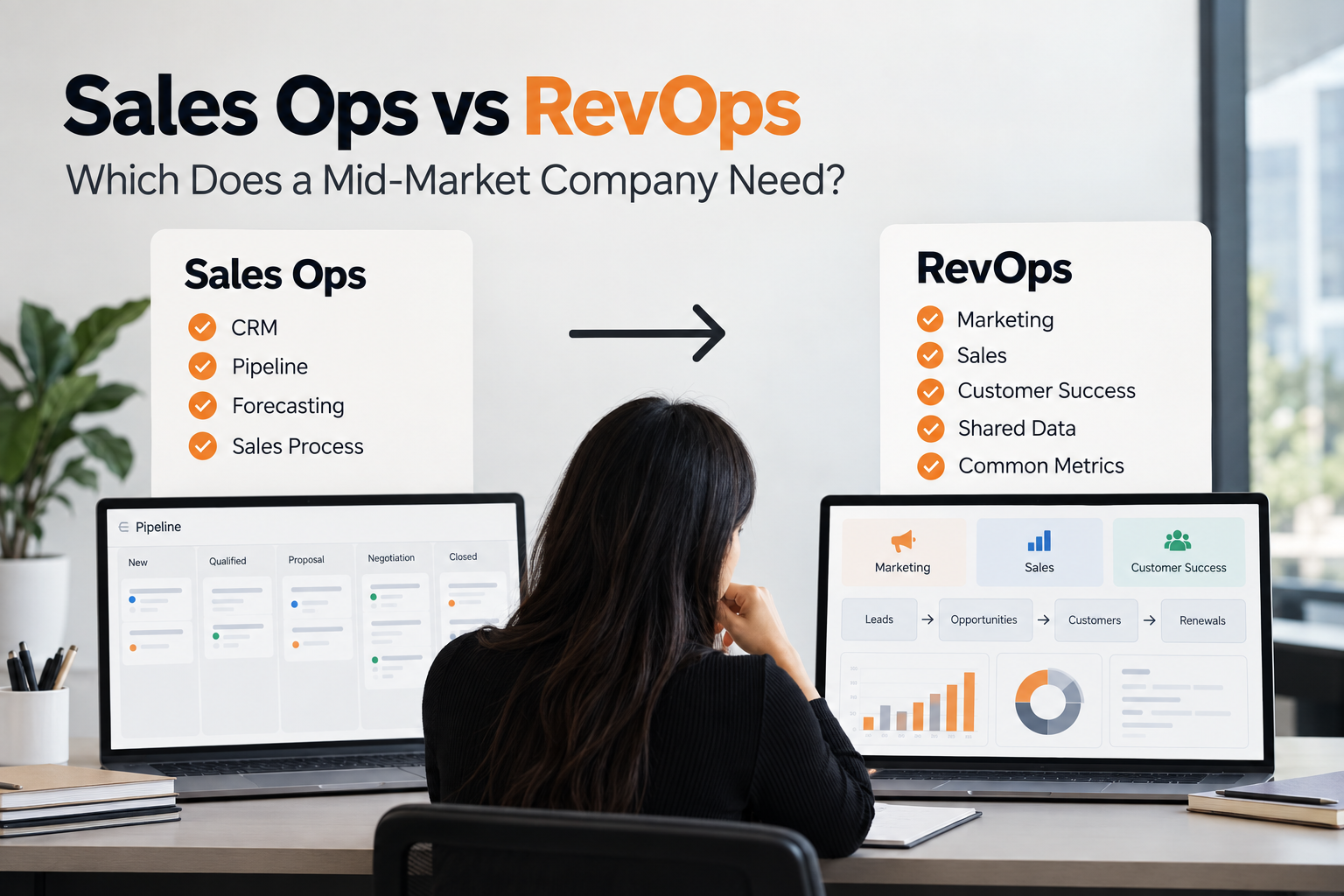
What is the difference between SalesOps and RevOps?
SalesOps focuses primarily on sales operations. RevOps is a broader operating model that aligns functions involved in revenue generation, typically including sales, marketing, and customer-facing teams.
What is the difference between SalesOps and Sales Intelligence?
SalesOps focuses on operating the sales function. Sales intelligence focuses on using information to understand sales activity, accounts, opportunities, markets, and related signals.
Is SalesOps part of RevOps?
It can be. In organizations using a RevOps model, SalesOps may operate as a specialized function within the broader revenue organization.
When does a company need SalesOps?
Companies generally begin needing dedicated SalesOps capabilities when sales processes, systems, teams, and reporting become difficult to manage consistently through informal coordination alone.
Want to see where your sales workflow slows down? Get a free workflow diagnostic.